Crypto news in your browser toolbar
One click gives you the latest headlines and live prices for the coins you follow. No tab-switching, no feed to scroll, no account to create — and it never reads the pages you visit.
Add to Chrome — it's freeHeadlines, always current
The newest stories with cover image, topic and how long ago they landed.
Prices you actually see
Up to three coins with their 24-hour change, right above the news.
Quiet alerts
A count on the icon when stories land. Desktop alerts are optional.
Reads nothing about you
No account, no analytics, no page access. Preferences stay in your browser.
What it looks like
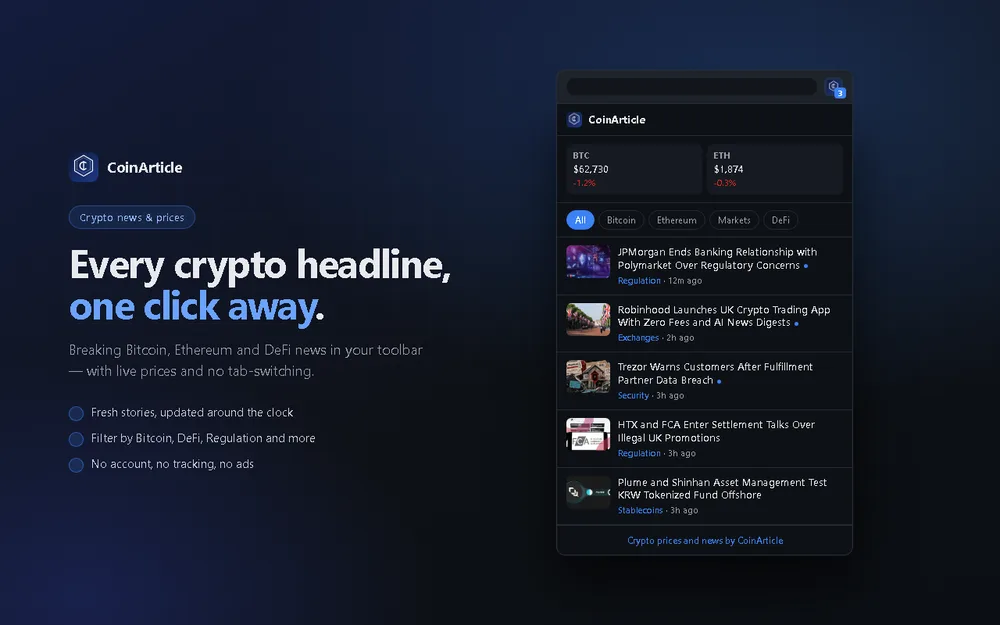
Everything in one click
Open the popup and the latest stories are already there, with prices above them.
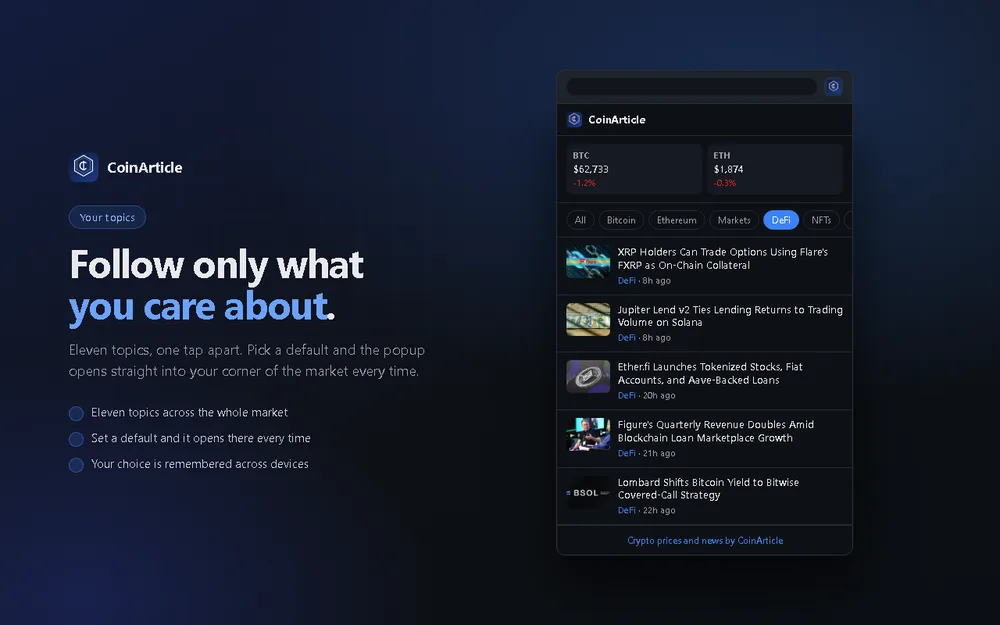
Only the topics you follow
Filter to one area of the market and set it as the default, so it opens there every time.
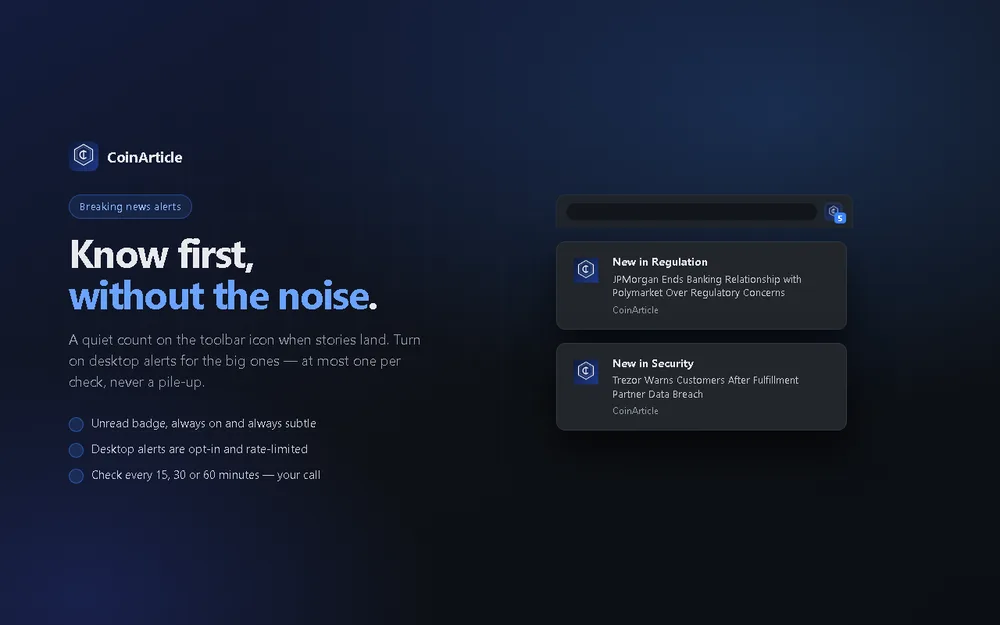
Told once, not nagged
An unread count on the toolbar icon, and at most one desktop alert per check.
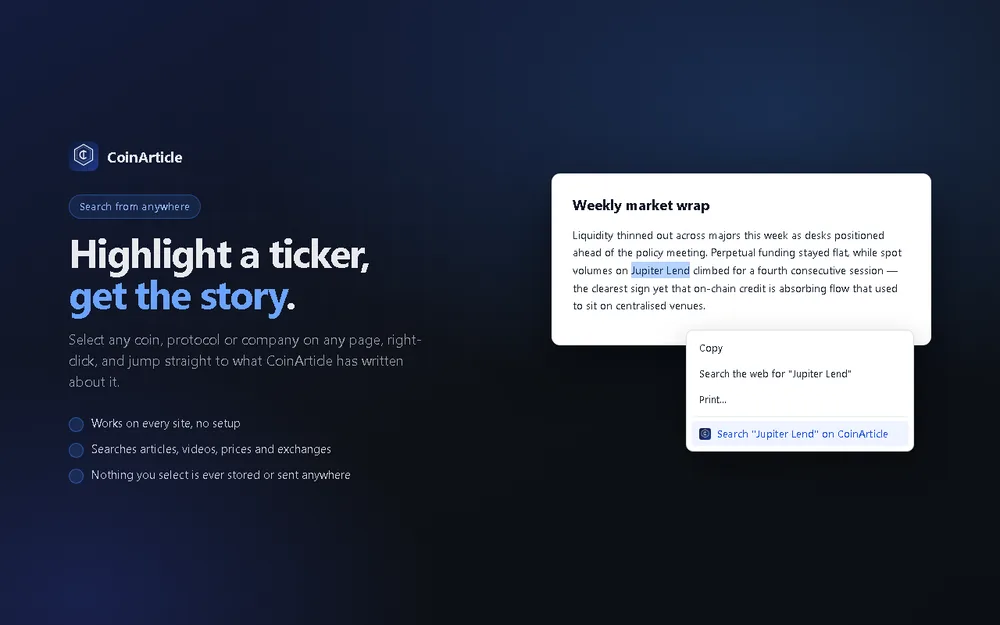
Search from any page
Highlight a ticker or a company name anywhere, right-click, and read what we published.
Built to stay out of the way
It asks for no access to websites. Most extensions request permission to read and change the pages you visit. This one does not, because it does not need to — everything it shows comes from a single public feed on coinarticle.com. Chrome will tell you the same thing at install time.
Nothing is collected. There is no account, no analytics and no advertising. The topic and coins you pick are saved by your own browser, and the right-click search sends only the words you highlighted, at the moment you choose to use it.
It checks on your schedule. Pick how often it looks for new stories, or turn desktop alerts off entirely and just watch the count on the toolbar icon.
Questions
Is it free?
Yes. There is nothing to pay for, no account to create and no trial that expires.
What data does it collect?
None. There is no analytics, no advertising and no tracking of any kind. Your chosen topic and coins are stored in your own browser and never sent anywhere.
Can it see the pages I visit?
No. The extension has no content scripts and requests no access to websites, so it cannot read the pages you browse. It only fetches a public news feed from coinarticle.com.
Will it slow my browser down?
No. It checks for new stories on a timer you control, and each check is a single small request. Nothing runs on the pages you visit.
Does it work in browsers other than Chrome?
It is built for Chrome. Other Chromium-based browsers that can install from the Chrome Web Store, such as Edge and Brave, generally work too.
How do I change the topic or the coins?
Click the gear icon in the popup. You can set the default topic, choose which coins appear, and turn desktop alerts on or off.
Run a website instead?
The same headlines are available as a free embeddable widget for your own site, or as an RSS feed.
Add to Chrome